...
Якорь Obtaining the thumbprint of the token signing certificate Obtaining the thumbprint of the token signing certificate
5. Obtaining of the token certificate
| Obtaining the thumbprint of the token signing certificate | |
| Obtaining the thumbprint of the token signing certificate |
Open the ADFS management snap-in, select
...
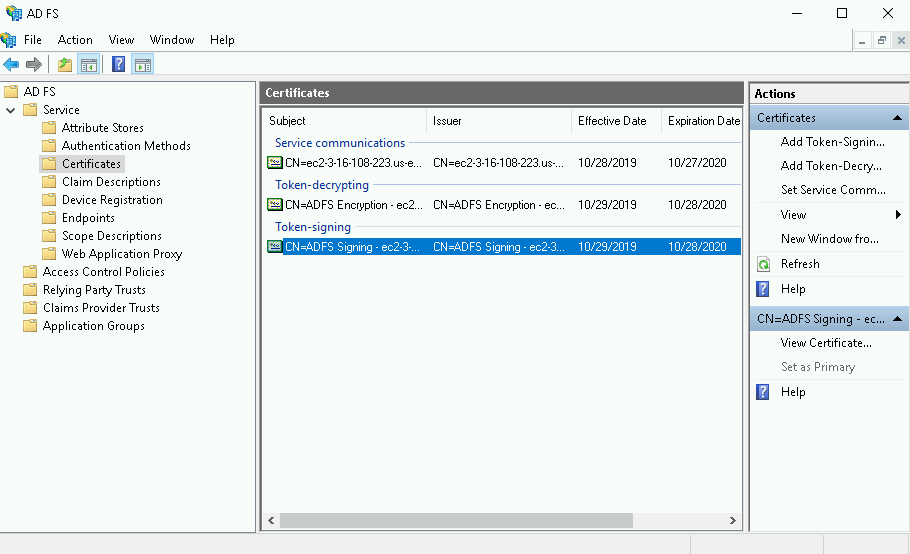
ADFS > Service > Certificates, then double-click on the certificate under Token-signing. You can also right-click the field, then select View Certificate in the context menu.
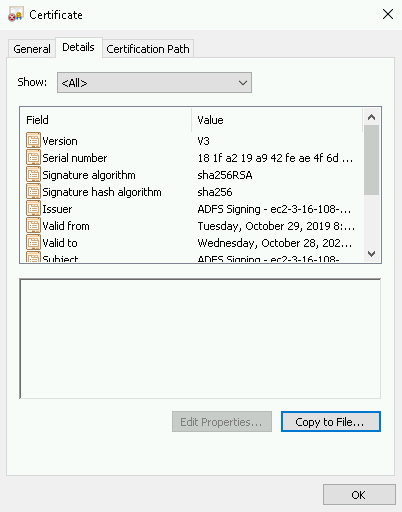
On the Certificate screen, open the Details tab, select Copy to File, then select OK.
On the Certificate Export Wizard screen, select Next.

Select Base-64 encoded X.509 (.CER), then select Next again.

On the Certificate Export Wizard screen, select Browse to specify the location where you want the Identity Provider Certificate to be exported, then specify the file name.
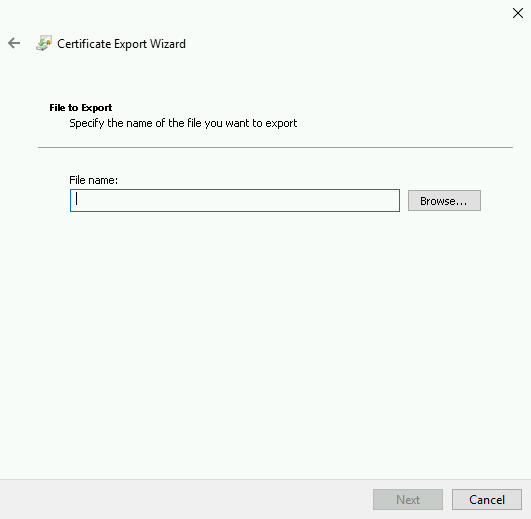
Select Save. On the Certificate Export Wizard screen, verify the file path is correct, then select Next.
In the Completing the Certificate Export Wizard, select Finish, then select OK to confirm the export was successful.
